Dev License: This installation of WHMCS is running under a Development License and is not authorized to be used for production use. Please report any cases of abuse to abuse@whmcs.com

How to Change Hostname in SolusVM 2

You can change the hostname in SolusVM 2.


1. Log in to your SolusVM 2 Control Panel.

2. Under Projects, click on the project that contains your VPS.
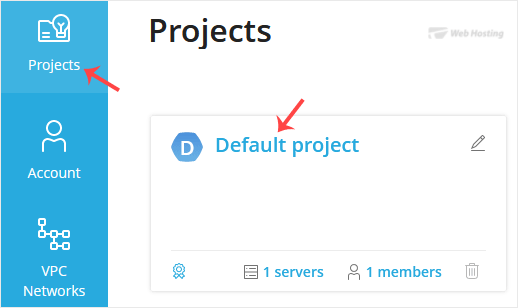
solusvm2-vps-status.gif

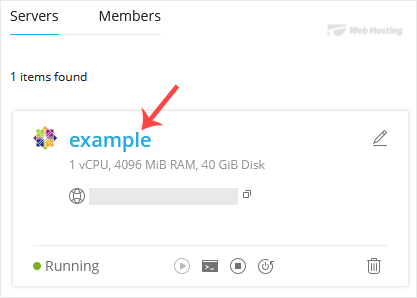
3. Click on the appropriate VPS.
solusvm2-vps-select.gif

4. Click on the Edit icon at the top right side. Enter your new hostname, then click Save.
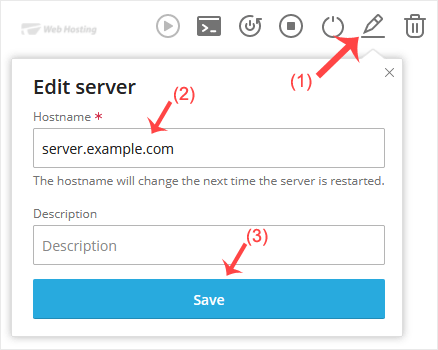
solusvm2-hostname-change.gif


5. A reboot is required so that the saved changes can take effect.


Some example hostnames:
server1.example.com
hostingserver.example.com

You have successfully changed the hostname.

  • 0 کاربر این را مفید یافتند
آیا این پاسخ به شما کمک کرد؟

مقالات مربوطه

How to Reboot/Restart VPS in SolusVM 2

You can restart VPS via the command line or SolusVM 2. How to Reboot/Restart a VPS via SolusVM...

How to Forcefully or Gracefully Shut Down the VPS in SolusVM 2

You can shut down the VPS in two ways - forcefully or gracefully in SolusVM 2. How to...

How to Start/Boot Your VPS in SolusVM 2

If your VPS is down/offline, you can start it using SolusVM 2.1. Log in to your SolusVM 2 Control...

How to Access VPS via VNC in SolusVM 2

You can access your VPS via VNC in an emergency, such as when a firewall blocks your IP, the...

How to Reinstall an OS Using SolusVM 2

You can easily Install/Reinstall the operating system using SolusVM 2. However, note that this...

Powered by WHMCompleteSolution