Dev License: This installation of WHMCS is running under a Development License and is not authorized to be used for production use. Please report any cases of abuse to abuse@whmcs.com

How to Log in to SolusVM 1 Control Panel

You can find the Control Panel URL, username and password in your VPS welcome email.

SolusVM 1 Login details example:

Control Panel URL: https://cp.example.com or with the IP Address.
Username: vmuser123 or johndoe.
Password: example.


How to log in to SolusVM 1 Control Panel?


1. Open VPS Control Panel.


2. Enter your SolusVM username and password.
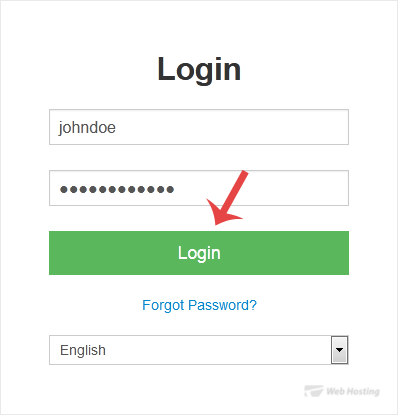
solusvm-login-page.gif


Click on Login, and you will be redirected to the SolusVM 1 VPS management area.

  • 0 Utilizadores acharam útil
Esta resposta foi útil?

Artigos Relacionados

How to Check VPS Online or Offline Status in SolusVM 1

You can check your SolusVM VPS status and determine whether the VPS is offline or online. You can...

How to Check VPS Specifications and Virtualization Info in SolusVM 1

You can check VPS specifications such as RAM, disk space, virtualization, IP Address, etc., from...

How to Change the SolusVM 1 Account Email Address

If you want to update your SolusVM 1 VPS Control panel email address, follow this instruction.1....

How to Enable or Disable the SolusVM 1 VPS Login Alert

Whenever you log in to your VPS control panel, you will receive a login email alert. You can...

How to Change the SolusVM 1 Control Panel Password

If you can access your SolusVM 1 VPS control panel, you can easily change your SolusVM 1...

Powered by WHMCompleteSolution